 Max 5min read
Most manufacturers sell through layers: distributors, dealers, retailers, and sometimes end users. A single points balance treats all of them the same, which makes it hard to reward each level fairly or to track who funds whose reward.
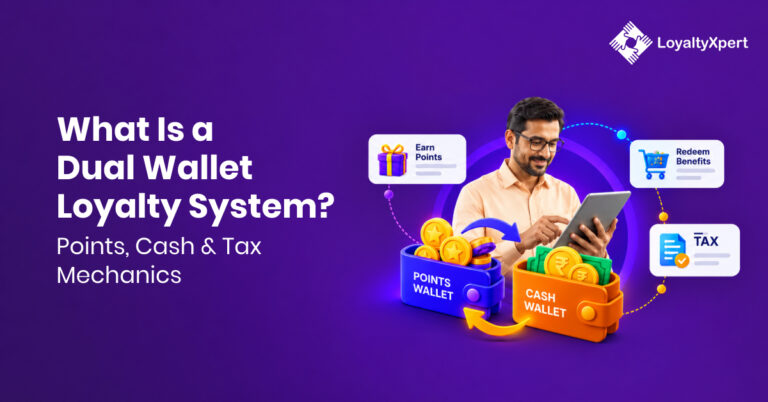
LoyaltyXpert’s Dual Wallet solves this by giving channel sales partners two wallets: a Primary Wallet for points they can redeem, and a Secondary Wallet that funds the points passed to the partners below them.
Why Channel Loyalty Needs a Smarter Wallet Model
Loyalty is a growing category, and it is increasingly B2B. One analyst estimate values the loyalty management market at USD 16.44 billion in 2026, growing about 14.6% a year to USD 32.52 billion by 2031. The same report notes that manufacturers and distributors are using loyalty mechanics to retain channel partners. Another forecast puts the B2B segment at 57.38% of the market in 2026.
Research firms disagree on exact size, with 2026 estimates ranging from roughly USD 14.8 billion to USD 17.4 billion, but they agree on the direction. Programs that reward multi-level channels need more structure than a single balance.
What Is LoyaltyXpert’s Dual Wallet?
The Dual Wallet lets a brand award loyalty points to channel partners in two categories:
- Primary Wallet: Points that a channel partner can redeem for themselves.
- Secondary Wallet: A stored pool of points that the partner cannot redeem. It is used to credit points to the partners below them in the value chain.
Admins can choose whether to run the Dual Wallet or the normal point system.
How the Dual Wallet Works
Whenever a channel partner approves an invoice, the system checks in the backend whether the purchaser is eligible for points. If so, the matching points are deducted from the approver’s Secondary Wallet and credited down the chain.
For example, a distributor approves a dealer’s purchase invoice. The dealer’s points come out of the distributor’s Secondary Wallet, not from the brand’s balance at that moment. The brand still decides how many points each partner’s Secondary Wallet holds.
Key rules to remember:
- Secondary Wallet points are non-redeemable by the holder.
- They are released only when the invoice and purchase receipt are approved.
- End-user customer groups have no Secondary Wallet and cannot be approvers.
Primary Wallet vs Secondary Wallet
| Primary Wallet | Secondary Wallet | |
|---|---|---|
| Purpose | Personal rewards | Funds rewards for downstream partners |
| Redeemable by holder | Yes | No |
| Points released | On qualifying activity | On invoice and purchase receipt approval |
| Available to end users | Yes | No |
How Admins Set Up the Approver Hierarchy
In the Customer Group section, admins now find an Approver Groups option. Here they assign the groups that sit above the end user, which keeps the channel hierarchy intact.
When creating a customer group, admins can:
- Tick “Is this end user?” for end-user groups. These groups lose Secondary Wallet access and cannot approve invoices.
- Enable options such as Purchase Invoice and Show This Customer Group in Mobile Registration Screen.
- Choose the KYC documents the mobile app should collect from that group: PAN card, Aadhaar card, driving license, electricity bill, and cancelled cheque.
Adding Secondary Wallet Points in Product Rules
With Dual Wallet enabled, admins can set a Secondary Wallet value inside a product rule. The rule has these parameters:
- Rule name and description
- Based on
- Customer group name
- Product name
- Location
- Action (fixed or percentage)
- Value
- Secondary wallet value
This lets you fund different downstream rewards for different products, regions, and partner types.
Adding Secondary Wallet Points in Invoice Rules
Invoice rules can also carry extra Secondary Wallet points. The parameters are:
- Rule name and description
- Start date and end date
- Customer groups and location
- Action (minimum and maximum amount)
- Action (fixed or percentage)
- Value
- Secondary wallet value
Start and end dates make it easy to run time-bound campaigns, and the amount range lets you reward larger invoices more.
Dual Wallet Reports
Under Transactional Details, two reports track Dual Wallet activity.
Secondary Wallet Success Report includes: loyalty transaction, customer membership ID, loyalty type, transaction type, loyalty points, last loyalty points, total loyalty points, transaction status, transaction details, and transaction time.
Secondary Wallet Failed Transaction Report includes: loyalty transaction ID, purchaser name, seller name, loyalty type, current Secondary Wallet points, transaction status, transaction details, and transaction time.
The failed report is especially useful: a common cause of a failed transaction is a Secondary Wallet balance that is too low [confirm with your product team before publishing].
Recent releases also added monthly ledger reports for each customer covering both wallets, and a distributor-wise transaction report for Secondary Wallet activity.
Special Loyalty: Credit or Debit Either Wallet
In the Special Loyalty section, admins can credit or debit points in both wallets. A Wallet Type option lets them choose Primary or Secondary.
For bulk changes, admins select Export Primary Wallet or Export Secondary Wallet from the Action menu, then upload the file to add or delete points at scale. Each special transaction records: loyalty transaction ID, customer membership ID, transaction type, loyalty points, transaction status, transaction detail, and transaction time.
Benefits of the Dual Wallet for Brands
- Controlled budgets: The Secondary Wallet caps what each partner can pass down.
- Hierarchy-aware rewards: Points flow through approvers, matching how your channel actually sells.
- Accountability: Every approval leaves an auditable trail in the success and failed reports.
- Less manual work: Rules and bulk uploads replace spreadsheets.
- Compliance: KYC document collection is built into customer groups.
Who Should Use It
The Dual Wallet fits manufacturers and brands that sell through multi-tier networks, such as distributor to dealer to retailer. It is especially useful in industries like FMCG, paints, electricals, building materials, and pharma, where each layer earns and passes on rewards.
Best Practices for Launching Dual Wallet
- Map your channel hierarchy first, then create approver groups to match it.
- Mark end-user groups correctly so they never get Secondary Wallet access.
- Start with simple product and invoice rules, then layer in campaigns.
- Watch the failed transaction report in the first weeks and top up Secondary Wallets as needed.
- Tell partners clearly that Secondary Wallet points cannot be redeemed, to avoid confusion.